 PicShift
HEIC to JPG.
Ready to share.
Turn your photos into the format you need. Resize them, remove metadata and save new copies — all on your Mac.
Ask about early accessStart free. Optional Pro upgrade, one-time purchase. Currently in TestFlight.
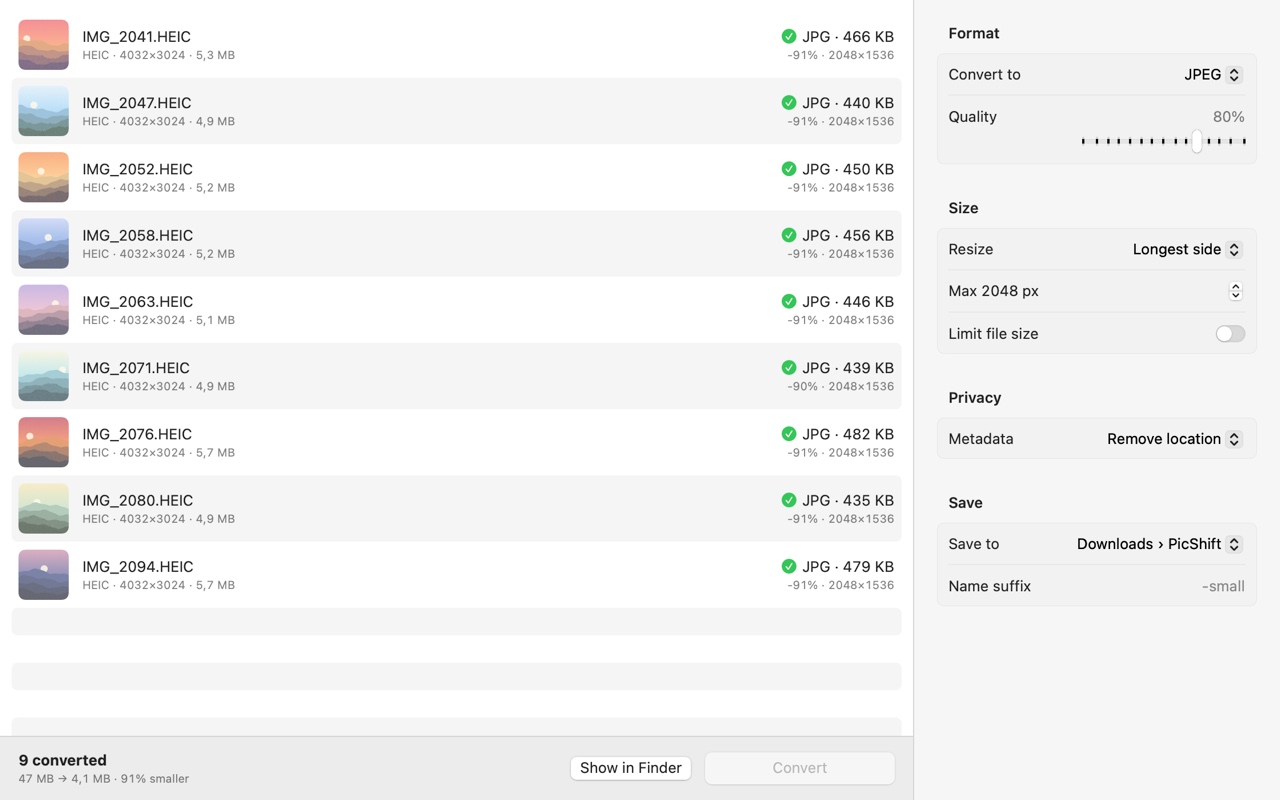
Convert a whole batch
Drop images into the window or onto the Dock icon. Choose JPEG, PNG or HEIC for free. Pro adds more formats and whole-folder conversion.
Get the size you need
Pro lets you resize by pixels or percentage and set a file size target for supported formats. Useful for websites, email and product photos.
Your photos stay local
Image processing happens on your Mac. Originals stay untouched. Remove embedded location data or copied metadata before sharing.
Everyday conversion
- Up to 10 images per batch
- JPEG, PNG and HEIC output
- Embedded location and metadata removal
- No account required
One purchase.
No subscription.
- Unlimited batches and whole folders
- WebP, AVIF, TIFF, GIF, BMP and PDF output
- Resize by pixels or percentage
- File size targets for supported formats
The App Store shows the price in your local currency. Format support depends on macOS codecs.
Questions, answered
How do I convert HEIC to JPG on a Mac?
Drag HEIC images into PicShift, choose JPEG and click Convert. Results are saved in Downloads › PicShift unless you choose another destination. Free conversion supports up to 10 images per batch.
Can I convert images to WebP or AVIF?
PicShift Pro includes WebP and AVIF output along with TIFF, GIF, BMP and PDF. Some formats depend on the codecs available in your version of macOS.
Are my photos uploaded?
No. Image processing happens locally. Apple handles App Store purchases; PicShift does not receive your payment details.
Does metadata removal hide everything in a photo?
No. Location removal clears embedded GPS and supported IPTC location fields. It does not erase a visible address, face or information written in a caption. Technical information needed to display the image may remain.
Why does PicShift ask for folder permission?
When saving next to originals or into a custom folder, macOS may ask you to select or allow that folder. PicShift remembers access locally. Select the folder again if access has expired.
How do I restore Pro on another Mac?
Use the same Apple Account in the App Store, open PicShift Pro and choose Restore Purchase.
PicShift support
Email sergei.potenko@gmail.com with your macOS version, input and output formats, and the error shown. Avoid sending private photos unless needed to explain the issue.
Поддержка PicShift: sergei.potenko@gmail.com. Укажите версию macOS, форматы файлов и текст ошибки.